
Rewrite or translate text right where it is.
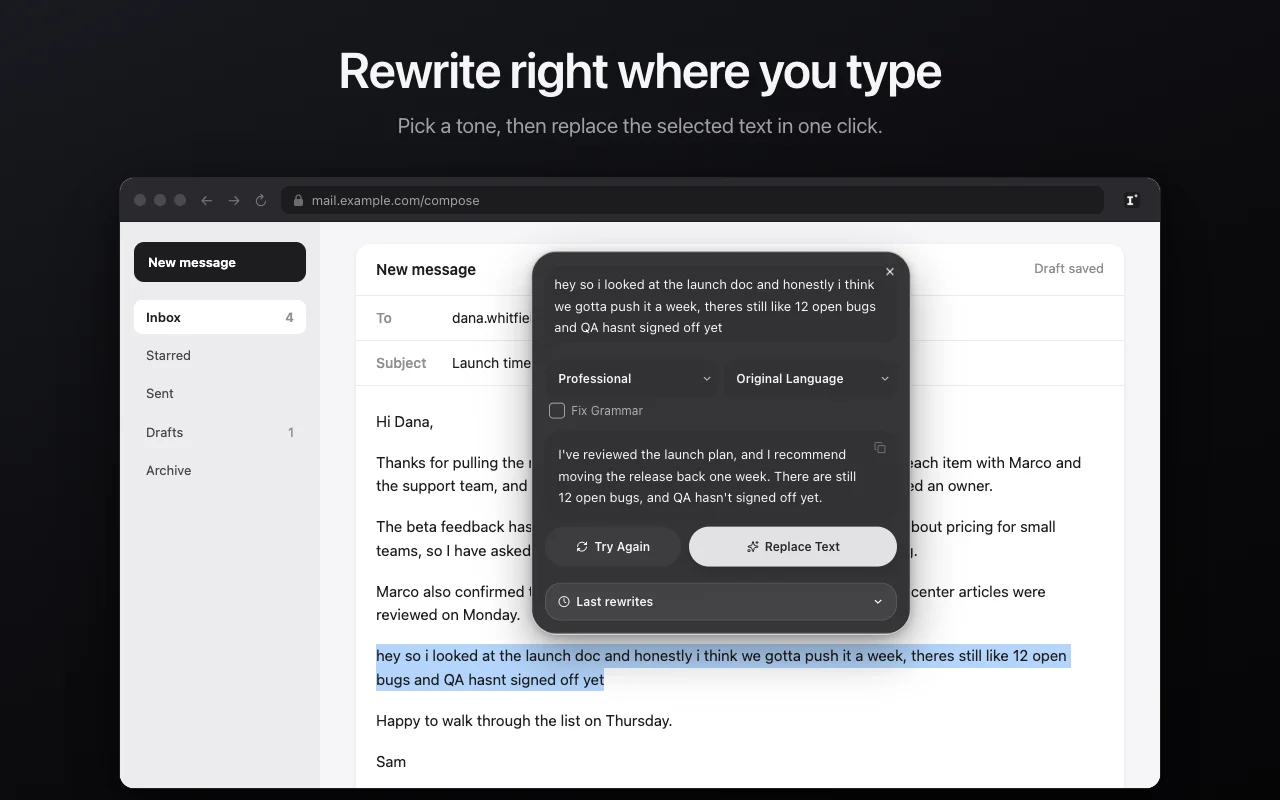
Select text on any page and rewrite or translate it in place. No copy-paste into another tab, no account, and nothing is sent until you click.
Free translation into 21 languages. Rewriting uses your own AI key.
How it works
Three steps, no new tab.
-
Select text
In a text box or editor you get a Rewrite button. On regular page text you get a Translate button.
-
Click the button
A small panel opens next to your selection.
-
Use the result
Pick a tone or language, then copy the result or replace the selected text in the field with one click.
Features
Six tones. Twenty-one languages.
Rewrite in the tone you need, with an optional Fix Grammar pass for spelling, punctuation and grammar. Keep the original language or rewrite into another in one step.
- Professional
- Friendly
- Formal
- Casual
- Concise
- Expanded
21 languages, detected automatically
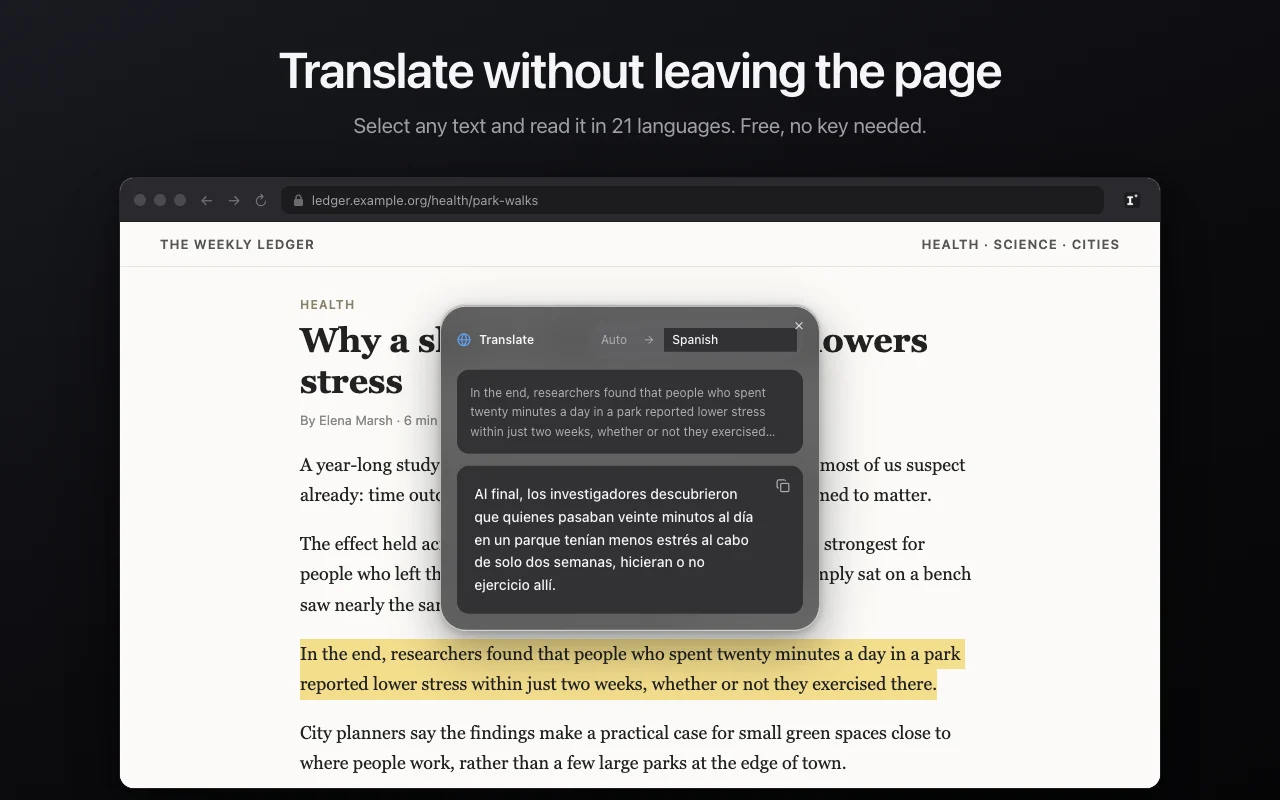
Select text on any page and read it in your language. The source language is detected for you.
- Free with Google Translate, no key needed
- Or switch translation to your AI provider
- Results stream in; stop a request at any time
Works off the page too
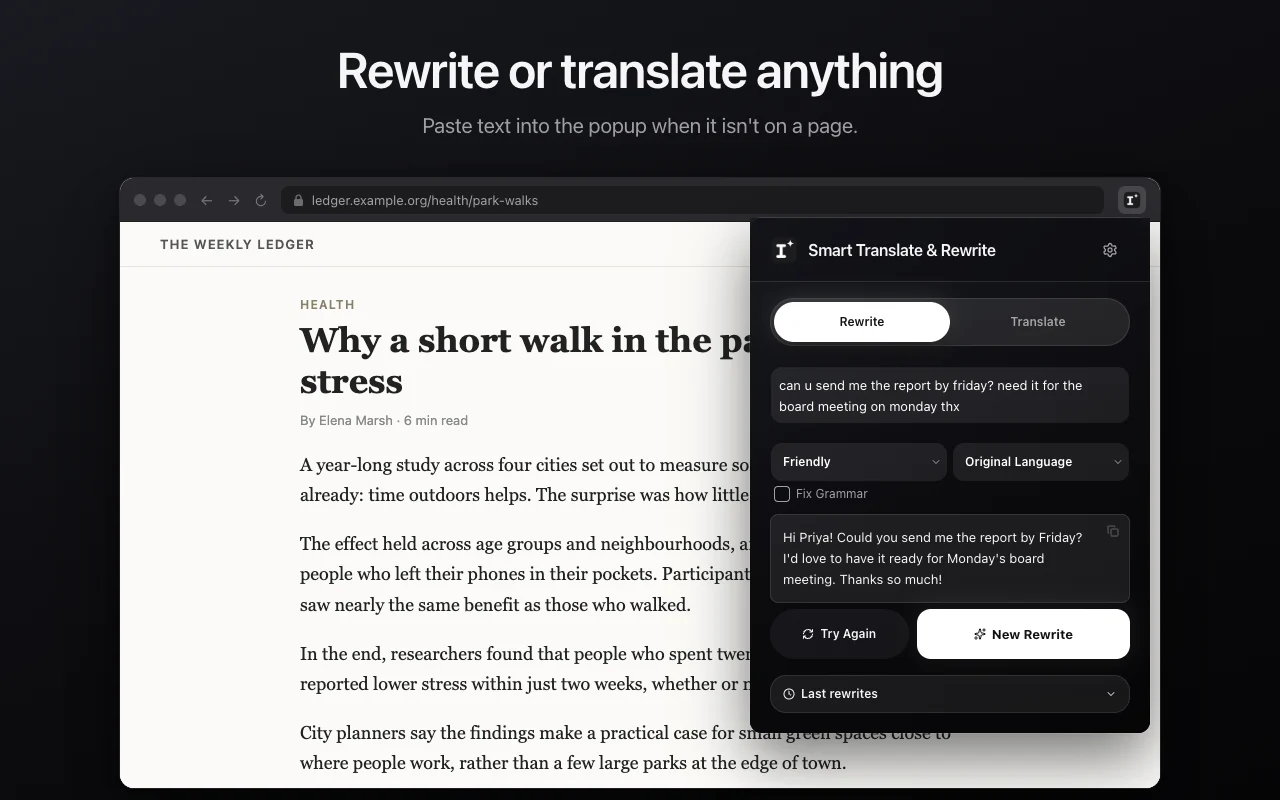
Open the toolbar popup and paste anything. Rewrite and Translate live in separate tabs.
Find what you wrote before
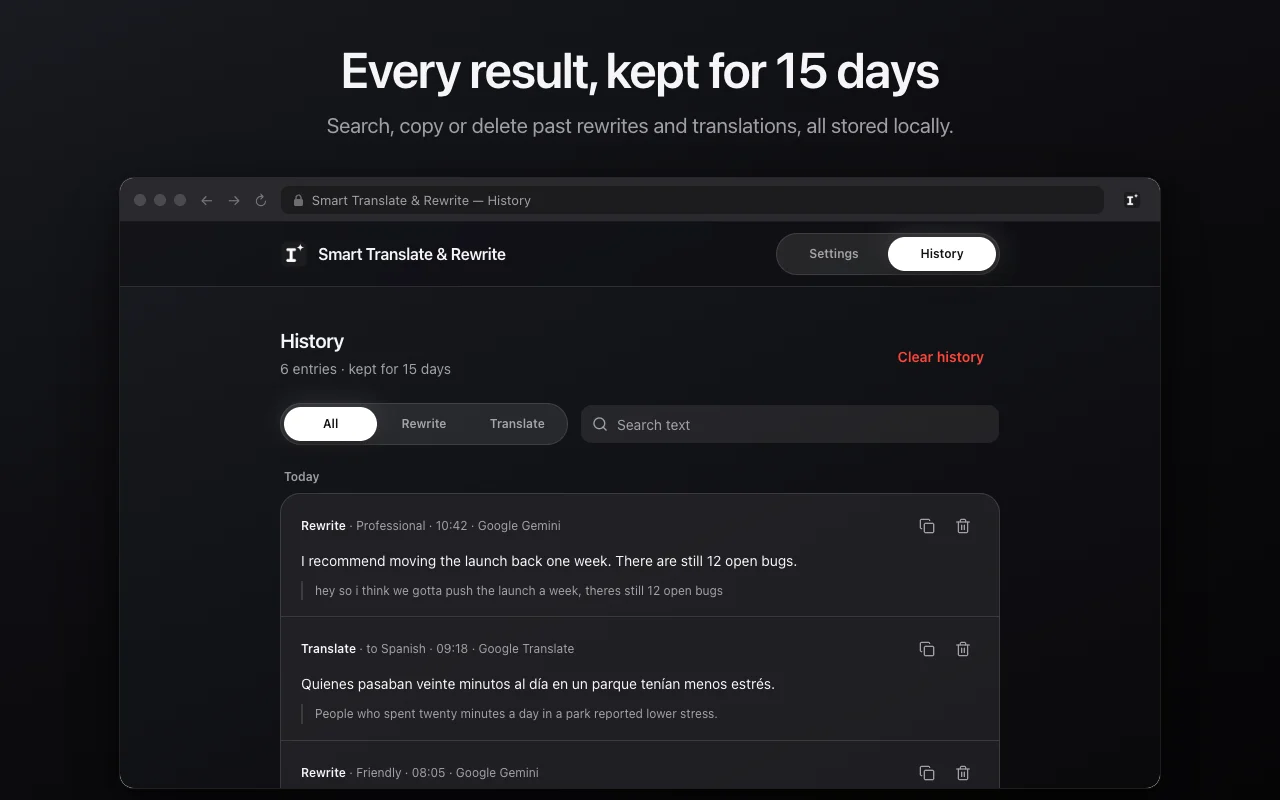
History keeps your rewrites and translations in your browser, then deletes them automatically after 15 days.
- Search and filter past results
- Copy or delete any entry, or clear it all
Replace Text works in inputs, text areas and rich-text editors. Choose a light, dark or system appearance, plus an optional pure-black mode.
Privacy
Nothing leaves until you click.
No backend, no account, no analytics. The extension talks directly to the service you chose.
Selecting sends nothing
A request starts only after you click the Translate button, Generate, or Translate in the popup.
No server in between
Rewrites and AI translations go to your chosen AI provider with your own key. Free translation sends the selected text to Google Translate.
Keys stay on this device
API keys and settings are stored locally and never synced to your Google account.
History expires in 15 days
History stays in your browser and is deleted automatically after 15 days, or whenever you clear it.
Providers & languages
Bring your own provider.
- OpenRouterSome free models
- OpenAIYour key
- Google GeminiYour key
- GroqYour key
- Google TranslateFree, no key
Translation works right after install, for free. Rewriting needs your own API key: open Settings, pick a provider, paste your key and choose any model your provider lists. Provider usage is billed by the provider, not by this extension.
Read the setup guide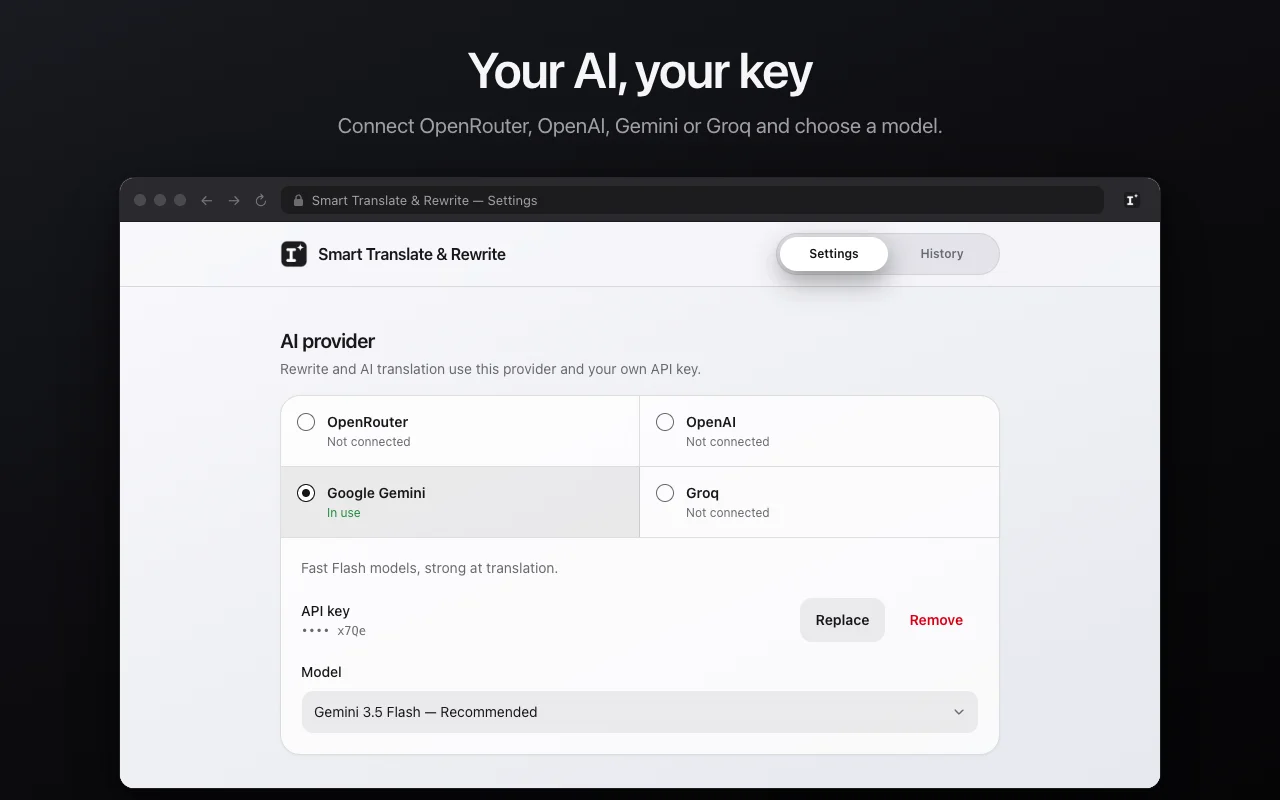
21 languages
English, Spanish, French, German, Italian, Portuguese, Dutch, Russian, Chinese (Simplified), Japanese, Korean, Arabic, Hindi, Turkish, Greek, Hebrew, Swedish, Polish, Vietnamese, Thai, Georgian.